Home › Forums › Community & Miscellaneous › Missing profile button
- This topic has 21 replies, 5 voices, and was last updated 2 weeks, 5 days ago by
 STRIP ME NUDE_V2.
-
AuthorPosts
-
-
24th March 2026 at 7:50 am #2378::
Missing profile logo.
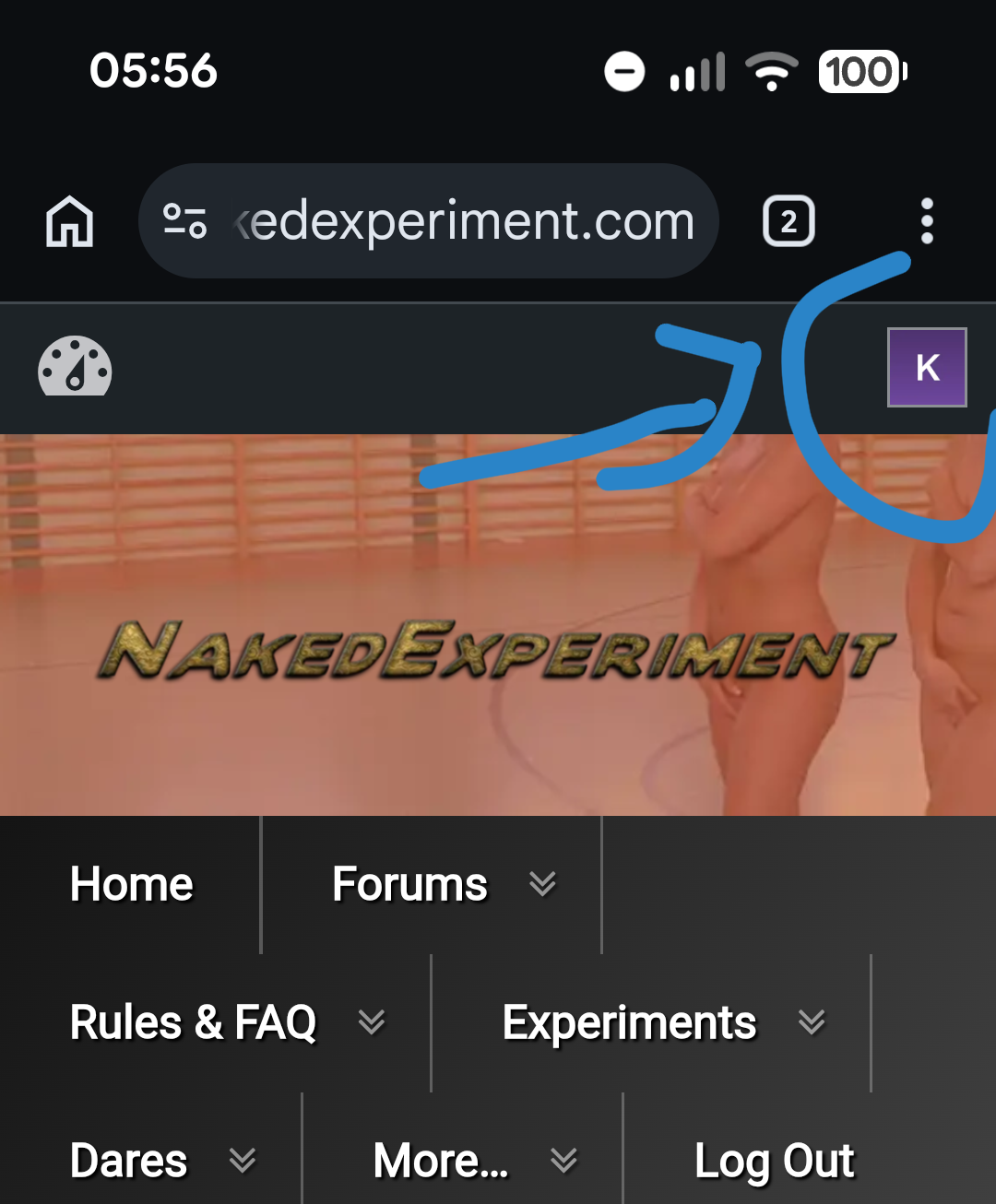
I think There used to be a little square at the top rhs with a letter in from your name. Clicking on it have you link to profile, notifications messages etc..
It’s gone? You have to go to forum and then scroll to the bottom.. and find yourself in the “logged in” now.
Do I remember that properly? Thanks!
-
24th March 2026 at 9:18 am #2379::
Yes, it would show things like new messages,
It happened at the time that https://nakedexperiment.com/forums/topic/links-problem-fixed/ so it’s probably due to the broken gallery plugin that had to be disabled to restore the links on the home page.
-
24th March 2026 at 10:23 am #2380::
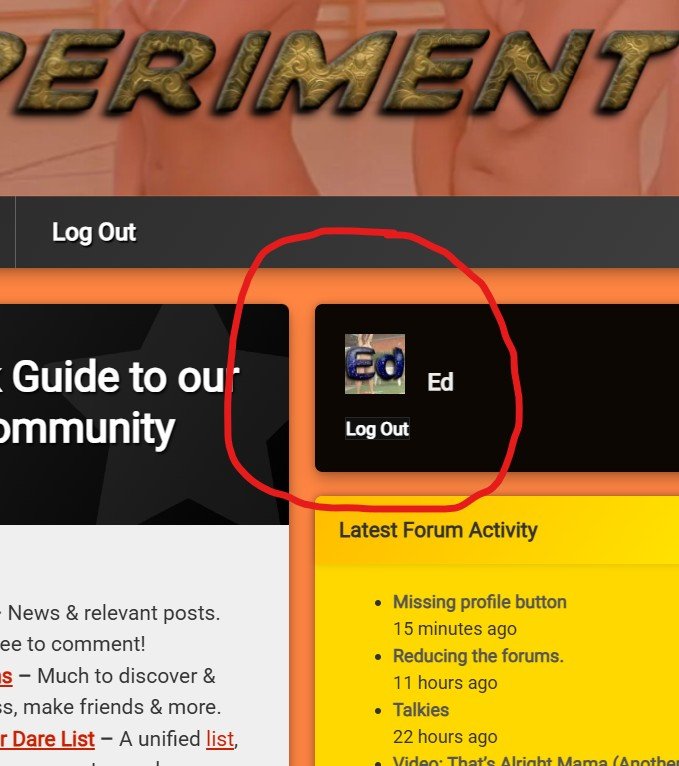
I’m not sure. There’s still a profile button (to the left of your username) at the top of the right column. If you don’t have an avatar set up (please do!!) then it would default to the first letter of your username (unless you have a Gravitar profile set up, then it uses that.)
Clicking on it still takes you to your profile.
The messages and updates pane personalised to you has been gone a LONG time bacause it stopped working.
-
24th March 2026 at 10:45 am #2382
-
24th March 2026 at 11:48 am #2383::
That’s visible on desktop, but not visible on mobile until after scrolling down a very long way.
But there also used to be something else, in the top header. That did more than just link to the profile, it showed the number of unread private messages. And because it was in the header block, I presume it would be visible even on mobile without a lot of scrolling down.
-
24th March 2026 at 1:07 pm #2384::
There used to be like a block above the webpage itself that had a profile area. That’s gone missing.
If you rotate phone to landscape the bit ed showed is at the top. Depending on size of the phone screen.
-
24th March 2026 at 1:27 pm #2386
-
24th March 2026 at 1:24 pm #2385::
That’s a feature of the theme. Mobile phones are always so zoomed in that there isn’t room for the columns. They’ve usually got the screen resolution, but the webbrowser software will not use it. Mobile web browsers stack the columns with each above the next one.
I only time I use my phone for browsing is when I’m testing the site. Mobile browsers are a disaster – bordering on unusable. The last time I had a good mobile browser was back in 2007 and then the iPhone came out and everything went titsup after that.
-
24th March 2026 at 7:10 pm #2388
-
-
24th March 2026 at 5:29 pm #2387::
The only thing I’ve noticed is that previously when I logged on via my iPhone, I got my profile page with the message selection option. Now it’s like I’ve got the desktop version of the site and have to flip the phone horizontally to get the inbox prompt. Not a major issue, just an observation.
-
24th March 2026 at 7:15 pm #2389
-
-
24th March 2026 at 7:42 pm #2390::
In firefox for android, it’s possible to enable desktop mode even in portrait orientation. That gives a screen which is, to say the least, “not very legible”:

but it does at a glance give a better representation (to mobile users) of what’s intended to be on the page, as seen by desktop users.
After that, it’s possible to use pinch zoom to make any part of the page legible. Still not very convenient, but may possibly be better then doing about 8 feet of scrolling to get to the rightmost column.
-
25th March 2026 at 10:31 am #2398
-
-
24th March 2026 at 11:11 pm #2391
-
25th March 2026 at 6:00 am #2392
-
25th March 2026 at 6:01 am #2393
-
25th March 2026 at 8:02 am #2394::
I turned it back on last night. I thought I mentioned it in this thread but my post didn’t appear.
What I find weird is I get the hamburger menu on my mobile phone (in place of the main black bar menu). I only see all the menu drop-downs listed on my laptop. We now seem to get the full-browser menu on mobile devices when there clearly isn’t room for it? When did that stop working?
-
25th March 2026 at 9:30 am #2396
-
25th March 2026 at 10:01 am #2397
-
25th March 2026 at 10:37 am #2400
-
25th March 2026 at 11:38 am #2402
-
-
25th March 2026 at 10:37 am #2401
-
-
AuthorPosts






- You must be logged in to reply to this topic.